
Unified Creation for Documents & Activities
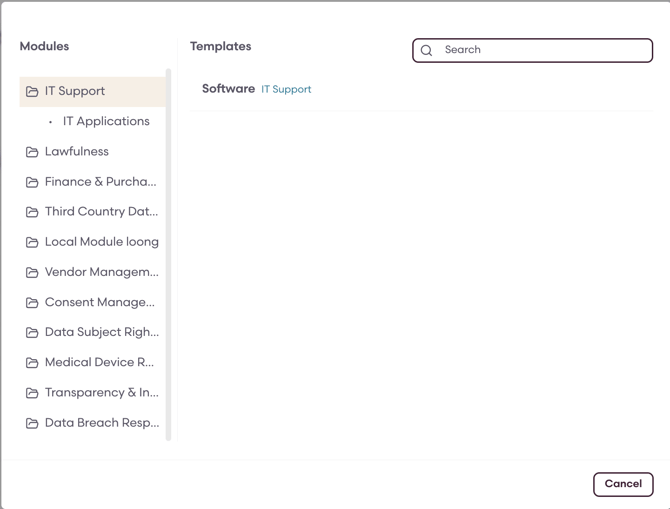
The creation experience has been centralized into a single modal available from:
- “Create New” (for Activities & Documents)
Users are now guided through a structured modal with improved navigation.
Key Features:
- Sidebar to filter for modules, submodules, classes, and subclasses when selecting templates
- Expand/collapse navigation for structured browsing
- Instant creation upon template selection (same number of clicks)
Importing Activities and Documents
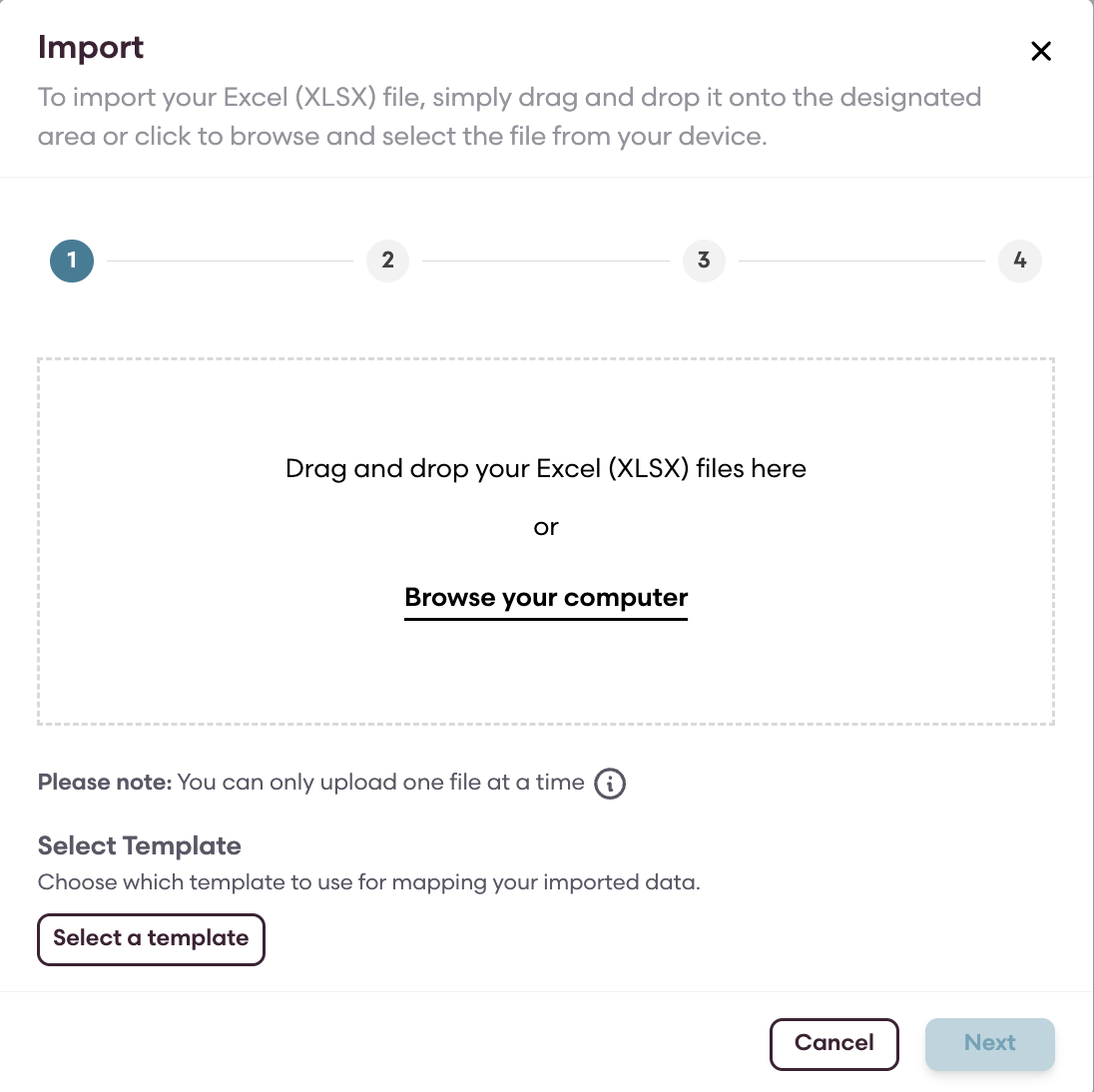
A new standardized import flow is available across both activities and documents.
How it works:
- Click the Import button from a module/class or document space.
- Select the template you want to import to.
- Download the reference guide and file.
- Create your own import file.
- Upload your file.
- Fill out the field mapping and confirm.
Sufficient Training of Master Documents (+ Training & Reporting Improvements)
Gap Analysis CSV Export
You can now export Gap Analysis reports for:
- Documents
- Programs
What’s included:
- Structured CSV format for analysis
- Available for Team Lead and above roles
- Accessible via:
- Reports → Gap Analysis → Documents → CSV Download
Reporting Improvements
- Documents and Programs in reports are now clickable
- Users can directly navigate from reports into the relevant entity
Awaiting Effectiveness Status
A new document status has been introduced - Awaiting Effectiveness
This applies when:
- A document is approved or completed, but its effective date is in the future, or
- The effective date has passed but training requirements are not yet met
Training Requirement Warnings
When training requirements are not met at or after the effective date:
- A warning icon appears in the document list view
- A warning banner appears in the document editor and preview
Actions to Resolve Compliance Issues
Users with Editor access and above can take corrective actions:
1. Update Effectiveness Date
- Modify the document’s effective date
- Requires a reason for change
- Removes warning if requirements are met
2. Update Required Trainees
- Adjust required trainee groups or users
- Updates training coverage dynamically
3. Enforce Effectiveness
- Forces document into Master status
- Bypasses unmet training requirements
- Requires justification
Automatic Status Updates
- If training requirements are satisfied through any action, the document automatically transitions to Master
- Warnings are removed automatically once compliance is achieved

Best Practices
- Regularly review the Gap Analysis to identify unmet training requirements early.
- Export the Gap Analysis as CSV for deeper and customized external analysis.
- Ensure training requirements are finalized before setting document initiating the approval process.